
How do I bulk enter transactions as an Isle of Man sole trader?
TL;DR — If you've got months of transactions to enter, a spreadsheet you've been keeping to send to your accountant, or you just prefer typing rows over clicking through forms, Tally Up's new Spreadsheet mode gives you a full-screen grid to enter everything in one sitting. Paste rows straight from Excel, fill a column down, switch between income and expenses without leaving the grid, and save the whole batch in one go.
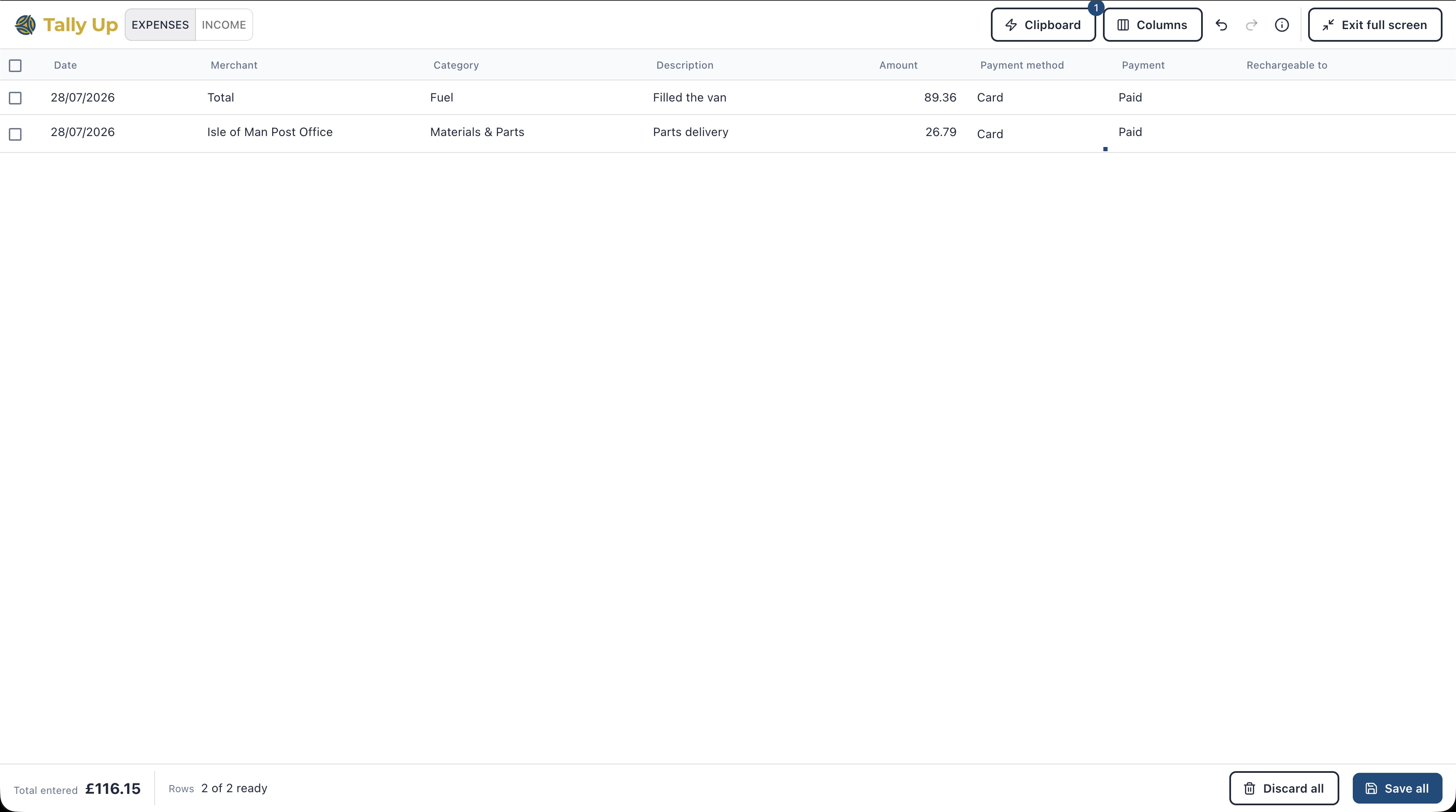 Tally Up's Spreadsheet Mode
If you've been putting off entering transactions because doing them one at a time is slow, this is the fix.
Why one-at-a-time entry falls over
Most accounting tools are built around a single-transaction form: open it, fill it, save it, close it, repeat. That works when you're logging one thing at a time. It falls over when you're catching up on months of work, or when you already have your data in a spreadsheet and just need to get it in.
What Spreadsheet mode does differently
Spreadsheet mode gives you a full-screen grid, with rows and columns laid out like a spreadsheet, and date, supplier or customer, category, amount, and payment status all in one line. You move across a row with tab, down a column with return, and see multiple transactions at once instead of one. It's a desktop only feature, everything else in Tally Up works on mobile as usual.
Paste straight in
Copy a block of transactions from your own tracking spreadsheet, a bank export, or a file you're keeping to send to your accountant, and paste it directly into the grid.
Fill a column down
Got the same category, supplier, or payment status repeating? Fill it down in one go instead of retyping it on every row.
Switch between income and expenses
Move between income and expense entry without leaving the grid or starting a new screen each time.
Flag rechargeable expenses as you go
On expenses, mark which rows are rechargeable to a client as you type, so nothing gets missed when it's time to bill it back.
Save the whole batch together
Once everything's in, save the whole lot together rather than one transaction at a time.
Handy for accountants too
If you're an accountant working with Manx sole trader clients, Spreadsheet mode is genuinely useful on your side of the desk. Take a year of a client's records and get them into their Tally Up in one sitting rather than one transaction at a time. Paste from a CSV export, from your own working papers, or from whatever the client has sent through. Fill category, VAT status, or payment status down a column instead of picking it thirty times. Then hand the client back a clean, up-to-date set of books they can carry on with themselves.
Who this is for
If you already keep a working spreadsheet and just need to get the figures into Tally Up, this is the fastest route in. If you're catching up on a backlog, it's a job you can finish in one sitting. And if you just prefer typing over clicking, it's a nicer way to work day-to-day.
If your transactions already live in a CSV, whether that's a bank export or an accounting-tool export, you can skip the typing entirely. See our guide to importing a CSV into Tally Up.
Ready to give it a go? Spreadsheet mode is live now. Head to your Tally Up to try it.